
No products in the cart.
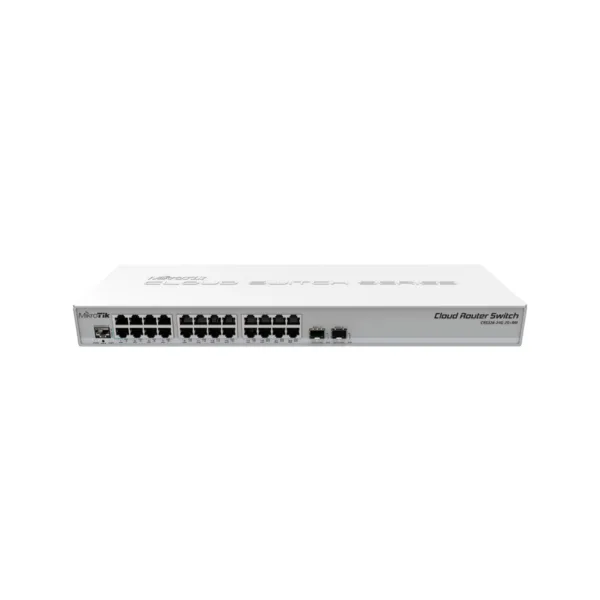


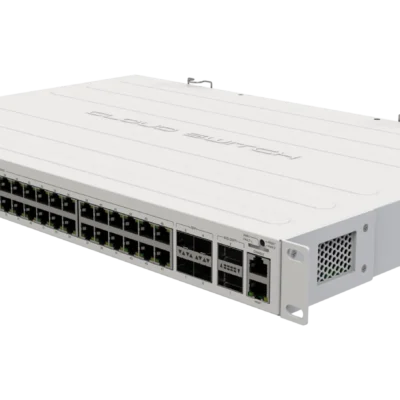
MikroTik CRS326-24G-2S+RM Cloud Router Switch – 24x Gigabit, 2x 10G SFP+, Rackmount
Available on order
AED 725.00
This item is not held in stock. We source it to order - contact us to confirm the lead time before you buy.
Inclusive of VAT
Delivery date confirmed when you orderFree Dubai delivery from AED 999 (AED 30 below) · Other emirates: AED 100
Official MikroTik Master Distributor · View certificate · Listed on mikrotik.com
Free pickup available — Bur Dubai, UAE
Available on order
Why buy from High Speed
4.5 26 Google reviews – rated 4.5 out of 5 (opens in a new tab)- In the UAE since 2001Dubai networking specialists
- 100% genuine stockOfficial MikroTik master distributor
- Manufacturer warrantyBacked by the official channel
- Cash on deliveryOr pay by card & Apple Pay
- UAE VAT invoiceWith every order
- Talk to an expert+971 4 824 1110
24-port Gigabit switch with 2x SFP+ 10G cages in a 1U rackmount case. Dual boot: choose RouterOS or SwOS.
Overview
24 Gigabit port switch with 2 x SFP+ cages in 1U rackmount case, Dual boot (RouterOS or SwitchOS)
SwOS/RouterOS powered 24 port Gigabit Ethernet switch with two SFP+ ports, wire speed connectivity with several new switching features!
It has “Dual boot” feature that allows you to choose which operating system you prefer to use, RouterOS or SwOS. If you prefer to have a simplified switch only OS with more switch specific features, use SwOS. If you are used to Winbox and would like the ability to use routing and other Layer 3 features on some ports in your CRS, boot and use RouterOS. You can select the desired operating system from RouterOS, from SwOS or from the RouterBOOT loader settings.
It gives you all the basic functionality for a managed switch, plus more: allows to manage port-to-port forwarding, apply MAC filter, configure VLANs, mirror traffic, apply bandwidth limitation and even adjust some MAC and IP header fields. SFP cage supports both 1.25 Gb SFP and 10 Gb SFP+ modules.
Description
24 Gigabit port switch with 2 x SFP+ cages in 1U rackmount case, Dual boot (RouterOS or SwitchOS)
SwOS/RouterOS powered 24 port Gigabit Ethernet switch with two SFP+ ports, wire speed connectivity with several new switching features!
It has “Dual boot” feature that allows you to choose which operating system you prefer to use, RouterOS or SwOS. If you prefer to have a simplified switch only OS with more switch specific features, use SwOS. If you are used to Winbox and would like the ability to use routing and other Layer 3 features on some ports in your CRS, boot and use RouterOS. You can select the desired operating system from RouterOS, from SwOS or from the RouterBOOT loader settings.
It gives you all the basic functionality for a managed switch, plus more: allows to manage port-to-port forwarding, apply MAC filter, configure VLANs, mirror traffic, apply bandwidth limitation and even adjust some MAC and IP header fields. SFP cage supports both 1.25 Gb SFP and 10 Gb SFP+ modules.
Reviews
There are no reviews yet.